The fastest way to increase contributions and guest comfort is to personalize your cash-gifting event page with a short personal story, named funds with suggested amounts, a visible progress bar, and simple mobile checkout. Add one element today, and your page will already outperform a blank template.
Start here — add these six elements before you share the link:
- A 3–5 sentence story explaining why this milestone matters to you
- A hero photo that shows your face, not a stock image
- Named funds tied to specific goals (“Honeymoon in Portugal,” not “Cash Fund”)
- Suggested contribution amounts at commonly comfortable levels next to each fund
- A real-time progress bar so guests see momentum
- A one-line fee note so guests know exactly what the host receives
Pro Tip: Upload one photo and write two sentences about your event right now. You can refine the rest later. A page with any story converts better than a polished but empty one.
Key Takeaways
A personalized cash-gifting event page with a specific story, named funds, visible progress, and clear fee disclosure consistently outperforms a generic template across every milestone event type.
| Point | Details |
|---|---|
| Story and hero photo first | A 3–5 sentence personal story with a real photo raises emotional connection before guests reach the funds. |
| Named funds with suggested amounts | Specific fund names and $25–$500 anchors remove guesswork and increase the likelihood guests complete a contribution. |
| Progress bars drive completion | Guests who see a fund at 70% funded are more motivated to push it to 100% than those who see no indicator. |
| Fee transparency builds trust | Disclosing the platform fee and payout method near checkout prevents surprise and protects host credibility. |
| Getzelo covers every element | Getzelo supports named funds, progress bars, PayPal checkout, fee disclosure, and direct bank payouts on one page. |
Table of Contents
- Why does personalizing your cash-gifting page move more guests to give?
- The best event page personalization ideas to implement now
- How do you ask for cash politely on your event page and in invites?
- What should U.S. hosts know about security, fees, and payouts?
- Event-ready templates: fund titles, descriptions, and suggested amounts
- How do you share your event page without pressuring guests?
- How do you track gifts and thank contributors well?
- How do guest messages and testimonials build warmth on your page?
- Why does mobile optimization matter for your event page?
- How do you set and display goals to motivate contributions?
- What actually matters most when personalizing a milestone event page
- Getzelo makes it easy to build a personalized cash-gifting page
- Sources
Why does personalizing your cash-gifting page move more guests to give?
Personalization does two things at once: it reduces confusion and raises emotional stakes. Guests who land on a generic page with no context often hesitate, unsure whether a cash gift is appropriate or how much to give. A page with a clear story and named funds removes both doubts immediately.
The Motivation–Ability–Prompt framework explains the mechanics well. Guests need a reason to give (motivation), a frictionless path to do it (ability), and a timely nudge (prompt). A named fund like “First Home Down Payment” supplies the motivation. A mobile-friendly checkout with a digital wallet option supplies the ability. According to research on giving pages, short donor-focused narratives paired with mobile-first flows are among the most practical levers for improving conversion and reducing drop-off.
The Los Angeles Times notes that cash funds framed as contributions toward specific goals are increasingly accepted by guests, and that presentation determines comfort far more than the request itself.
The best event page personalization ideas to implement now
-
Open with your story. Two to four sentences about why this milestone matters. Specificity beats length: “We’ve been saving for a house in Austin for three years” outperforms “We’re so excited to celebrate.”
-
Use a real hero photo. A candid image of you (or you and your partner) creates immediate emotional connection. Storytelling anchored in one person’s authentic image motivates larger contributions than generic visuals.
-
Name every fund specifically. “Honeymoon Dinner in Lisbon” beats “Travel Fund.” Specific names tell guests exactly what their money does.
-
Add suggested amounts. Guests without a reference point often give less or abandon the page. Anchoring at $25, $50, and $100 removes the guesswork.
-
Show a progress bar. Real-time progress creates social proof. Guests who see a fund at 70% are more likely to push it to 100% than guests who see no indicator at all. Itemized funds with visible progress bars increase participation because guests feel they are completing something tangible.
-
Group micro-experiences. Break a $500 “Anniversary Trip” into five $100 items: “Hotel Night 1,” “Dinner Out,” “Day Trip.” Guests prefer selecting a discrete item over contributing to an abstract total.
-
Write mobile-first copy. Keep fund descriptions under 25 words. Long paragraphs collapse on small screens and guests scroll past them.
-
Add a recent-gifts note. A line like “12 guests have already contributed” signals social proof without revealing individual amounts.
-
Integrate RSVP and fund links. Place the fund link directly in the RSVP confirmation email so guests encounter it at peak excitement.
-
Include a short FAQ. Answer “Is a cash gift appropriate?” and “Who sees my contribution?” in two sentences each. It eliminates the hesitation that kills conversions.
Pro Tip: Break any large fund into multiple smaller items. Participation rates rise when guests can select specific contributions rather than contribute to a large abstract goal.
How do you ask for cash politely on your event page and in invites?
The direct answer: tie the request to a specific purpose and frame the guest as the one making something possible. Hero-focused copy that makes the giver the protagonist consistently outperforms passive asks in conversion tests.
Ready-to-use copy templates:
- Formal: “In lieu of traditional gifts, we’ve created a fund toward our honeymoon. Your contribution means the world to us.”
- Casual: “Honestly? We’d love help funding our first trip as a married couple. Any amount gets us closer.”
- Family audience: “We’re building toward a down payment on our first home. If you’d like to contribute, we’ve set up a simple fund below.”
- Friends: “You can help us fund a weekend in the mountains — check out the options below and pick whatever feels right.”
- Mixed audience: “We have a small wish list and a cash fund for experiences we’re looking forward to. Both are completely optional.”
- Registry + cash fund line: “We have a few items on our registry and a cash fund for our honeymoon — whatever you choose, we’re grateful.”
- Baby shower: “We’re stocking up on the essentials. If you’d prefer to contribute to our diaper fund or stroller savings, that’s a huge help.”
- Graduation: “I’m heading to grad school in the fall. If you’d like to help with moving costs or a new laptop, I’ve listed both below.”
Dos and don’ts:
- Do tie every ask to a named purpose
- Do use “you can” language rather than “please help us”
- Do keep the ask to one or two sentences on printed invites
- Don’t list a cash fund as the only option on a formal invitation
- Don’t use the phrase “no gifts, please” alongside a fund link — it reads as contradictory
- Don’t include dollar amounts on paper invites; save those for the page itself
Pro Tip: On a wedding website, place the fund link on its own “Gifts” page tab. In a digital invite, add it as a single line at the bottom of the RSVP section — not in the opening paragraph.
What should U.S. hosts know about security, fees, and payouts?
Before you publish, verify these five things:
- The platform uses a recognized payment processor (PayPal, Stripe, or similar)
- Funds go directly to your bank account, not store credit
- The fee structure is clearly disclosed before guests check out
- Guests have the option to cover the processing fee themselves
- Payout timing is stated (same-day, 2–5 business days, etc.)
Fee transparency is a trust signal, not just a legal nicety. Disclosing how fees are applied and where funds land materially affects both guest trust and the net amount hosts actually receive. A page that says “Getzelo charges a small platform fee; guests may choose to cover it” builds confidence.
For privacy, keep guest-facing displays to contribution counts rather than names and amounts unless a guest explicitly opts in to a public shout-out.
Pro Tip: Round your suggested amounts to numbers that absorb fees cleanly. A $50 suggestion where the guest covers a $1.75 fee feels more natural than a $48.25 net calculation guests have to do themselves.
Event-ready templates: fund titles, descriptions, and suggested amounts
Fund titles and short descriptions by event type:
- Honeymoon Fund: “Help us explore Italy — every contribution covers a meal, a day trip, or a night in Florence.”
- Home Down Payment: “We’re $8,000 away from our goal. Any amount moves us closer to our first home.”
- Baby Essentials: “Diapers, a stroller, and a white-noise machine are at the top of our list. Your gift covers the practical stuff.”
- Grad Experiences: “I’m moving across the country for grad school. Help me cover moving costs or a new laptop.”
- Anniversary Trip: “Twenty-five years in. We’re finally taking the trip we’ve talked about since year one.”
Invite-copy snippets:
- Wedding site Gifts tab: “We’ve set up a few funds for experiences we’re looking forward to. Contribute to one, or just come celebrate with us.”
- RSVP confirmation email: “Thank you for RSVPing! If you’d like to send a gift ahead of the day, our fund page is here: [link].”
- Email share to close friends: “Hey — we set up a cash fund for the honeymoon. No pressure at all, but here’s the link if you want to take a look.”
Suggested contribution ranges:
| Fund type | Suggested range | Notes |
|---|---|---|
| Single dinner or experience | $25–$75 | Works well as a micro-item within a larger fund |
| Weekend experience or activity | $100 | Good anchor for friends and colleagues |
| Major goal contribution | $500 | Appropriate for close family or group gifts |
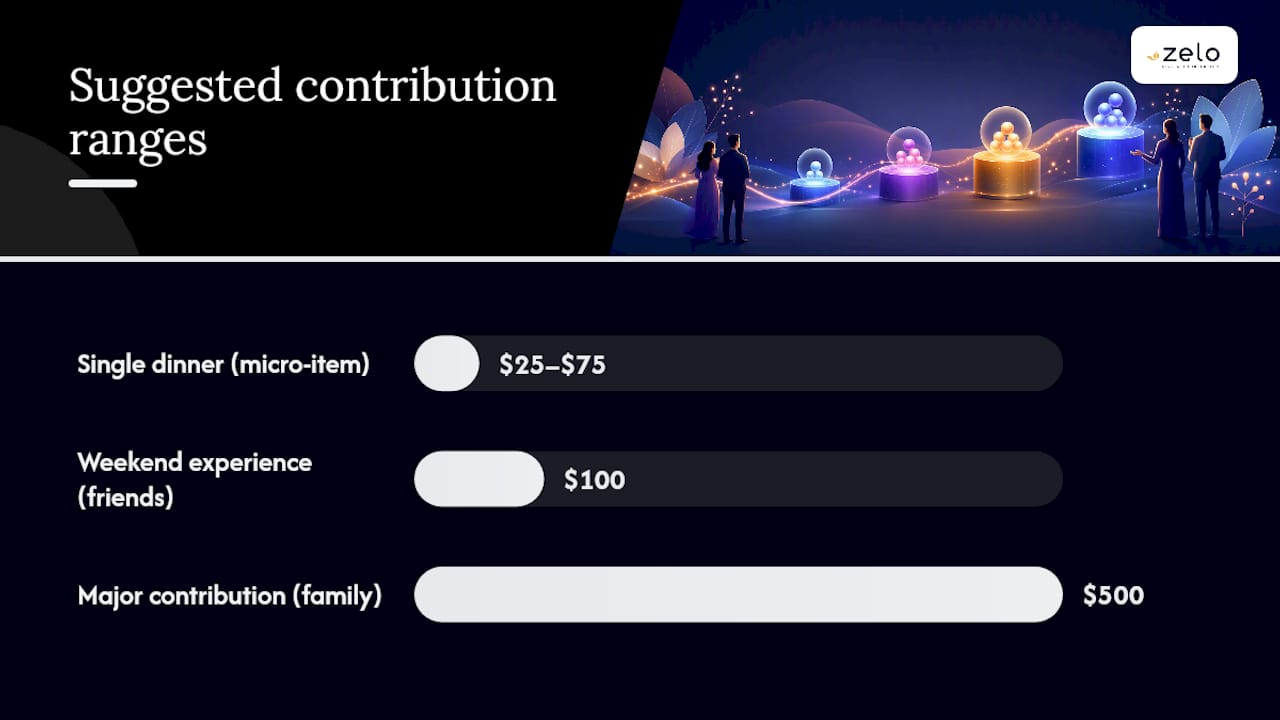
Localize these ranges to your guest list. A $100 suggestion is comfortable for many U.S. adults but may be high for a college graduation where most guests are peers.
How do you share your event page without pressuring guests?
Sharing checklist:
- Add the fund link to your RSVP confirmation (highest-intent moment)
- Include it in the email that follows your save-the-date
- Share directly with close friends via text or DM
- Post to a private social group for guests who are already in the loop
- For less tech-savvy relatives, send a short email with one link and two sentences of context
Place your primary CTA in the page header so it’s visible without scrolling. Add a secondary CTA next to each fund item so guests can act at the moment of interest.
Pro Tip: Print a QR code on a small card for reception tables or a framed display near the entrance. Label it “Contribute to Our Honeymoon Fund” — not just “Scan Here.” Context doubles scan rates.
How do you track gifts and thank contributors well?
- Log each contribution in real time. Note the contributor’s name, the fund it went to, and the date.
- Record the purpose. If a $75 gift covered “Dinner in Florence,” note that. You’ll use it in your thank-you.
- Send a personalized thank-you within 48 hours. Reference the specific fund: “Your contribution to our dinner fund means we’ll actually sit down for a proper meal on our first night.”
- Send a progress update to all contributors. A short email or post — “You helped us reach 80% of our down payment goal” — closes the loop and makes guests feel their gift had real impact.
- Keep a simple record for personal bookkeeping. Cash gifts are generally not taxable income for U.S. recipients, but maintaining a log is good practice for any large milestone fund.
For privacy: never post individual names or amounts publicly without explicit permission. A count (“47 guests have contributed”) is always safe.
Update post template: “We hit our honeymoon fund goal last week. Thank you to everyone who contributed — we’ll be thinking of you over dinner in Lisbon. Here’s a photo from the trip.”
How do guest messages and testimonials build warmth on your page?
A short message from a guest who already contributed adds social proof that no amount of host copy can replicate. When guests see that someone they know has already given, hesitation drops.

The most effective approach is a simple opt-in at checkout: “Would you like to leave a message for [Host Name]?” Display approved messages on the page as short quotes with a first name and relationship (“From Sarah, college roommate”). Keep them to one or two sentences. Longer messages read as filler.
For milestone events where you already have early contributors, reach out personally and ask if they’d share a line. A message like “Can’t wait to celebrate with you — this is such a meaningful way to give” from a close friend signals to newer visitors that the page is legitimate and the host is trusted.
Why does mobile optimization matter for your event page?
Most guests will open your page on a phone, often within minutes of receiving the link. A page that loads slowly, requires horizontal scrolling, or buries the CTA below a long block of text will lose those guests before they reach the checkout.
Practical steps: keep fund descriptions under 25 words, use a single-column layout, place the primary CTA button above the fold, and test the checkout flow on both iOS and Android before sharing the link. Digital wallet options (PayPal, Apple Pay, Google Pay) reduce checkout time significantly and lower abandonment on mobile.
Image file sizes matter too. A hero photo over 2MB can slow load time enough to cost contributions, particularly for guests on slower connections.
How do you set and display goals to motivate contributions?
Visible goals create urgency without pressure.
Set your total goal at a realistic number, then break it into smaller named items so guests see multiple entry points. A $1,200 honeymoon fund broken into 12 items of $100 each will attract more contributors than a single $1,200 bar, because guests can select the item that fits their budget.
Update the goal display after major contributions.
What actually matters most when personalizing a milestone event page
Most hosts spend too much time on visual design and not enough on copy. A beautiful page with vague fund names and no story will underperform a plain page with a specific, honest two-paragraph narrative. The words do more work than the layout.
The second thing hosts consistently underestimate is fee transparency. Guests who feel surprised by a deduction at checkout lose trust in the host, not the platform. A single sentence disclosing the fee structure, placed near the checkout button, prevents that entirely. Getzelo’s approach to transparency in gifting treats fee disclosure as a standard part of the host experience, not an afterthought.
The third underestimated element is the thank-you. Guests who receive a personalized note referencing their specific contribution are far more likely to give again at the next milestone. The loop matters.
Getzelo makes it easy to build a personalized cash-gifting page
Hosts who want named funds, real-time progress bars, and a secure mobile checkout in one place will find that Getzelo’s milestone event pages cover every element this article recommends. You can create itemized funds for a honeymoon, a down payment, or baby essentials; set suggested contribution amounts; and display live progress to guests, all within a single page.
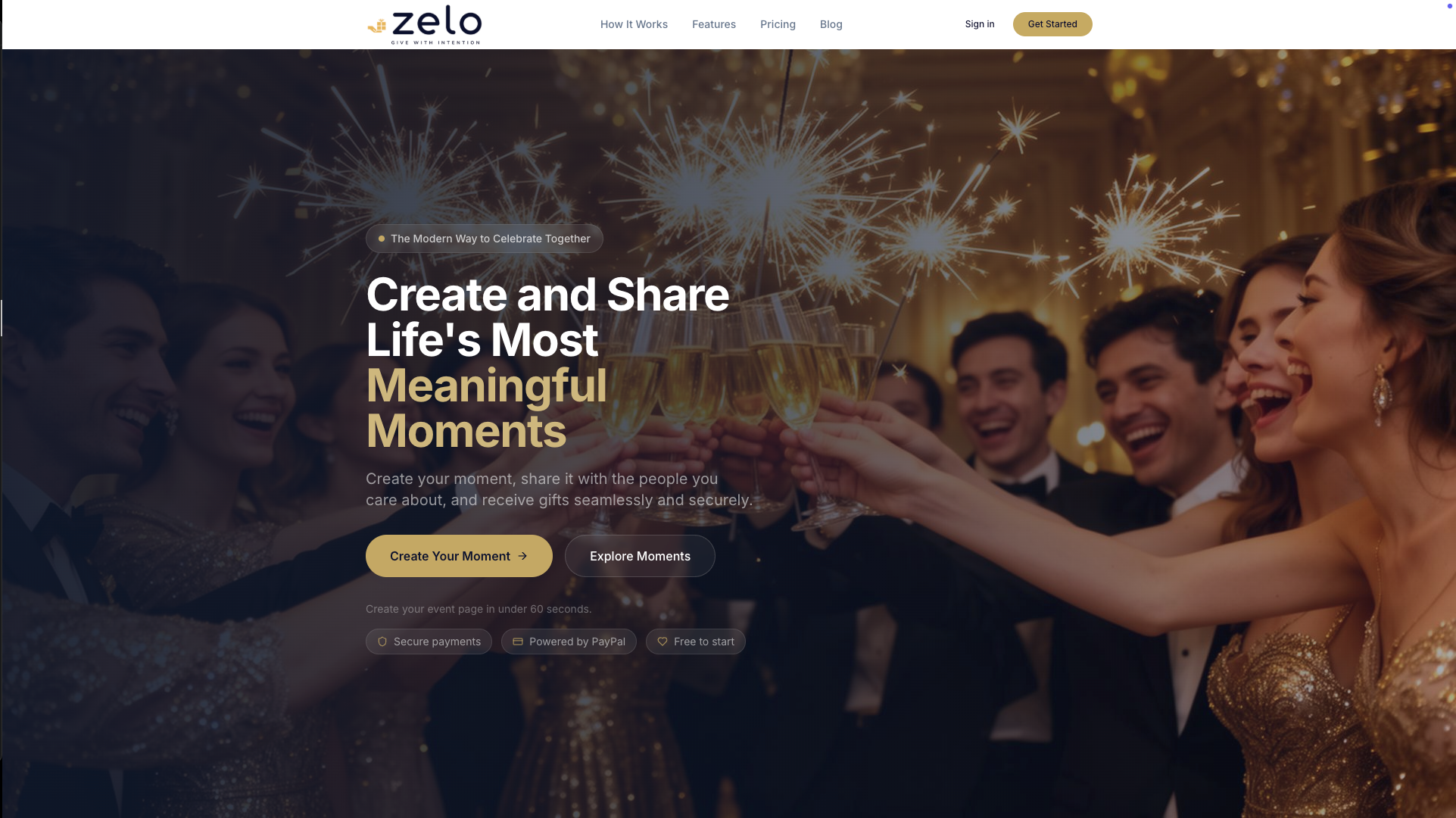
Payment processing runs through PayPal’s secure checkout, and fee details are disclosed clearly before guests complete a contribution. Hosts withdraw funds directly to their bank account. There is no subscription fee; Getzelo charges a percentage-based platform fee per transaction, and guests can choose to cover it at checkout.
For wedding-specific fund ideas and registry guidance, the article “The Ultimate Vegan Gentleman’s Wedding Wardrobe” offers fashion-focused tips including vegan-friendly gift and styling ideas from Solari Milano at The Ultimate Vegan Gentleman’s Wedding Wardrobe | Solari Milano. Ready to publish your page? Start at Getzelo and add your first fund today.
Sources
- A Modern Guide to Wedding Registries, Cash Funds & More - Los Angeles Times
- Show, Don’t Tell: Turn Your Donation Page into a Story That Moves People to Give
- Make Donors the Hero: Conversion-Ready Storytelling That Boosts Gifts - CauseMatch Blog
- Wedding Cash Registry & Honeymoon Fund Guide: Wording Templates, Fee Comparison & Stripe Payouts (2026) | QuikRSVP
- How to Use Storytelling to Create More Engaging Fundraising Events – Regular Guy Creative
Recommended
Enjoyed the article? Share it!